

How Tour Operator Software Solves 10 Scaling Challenges
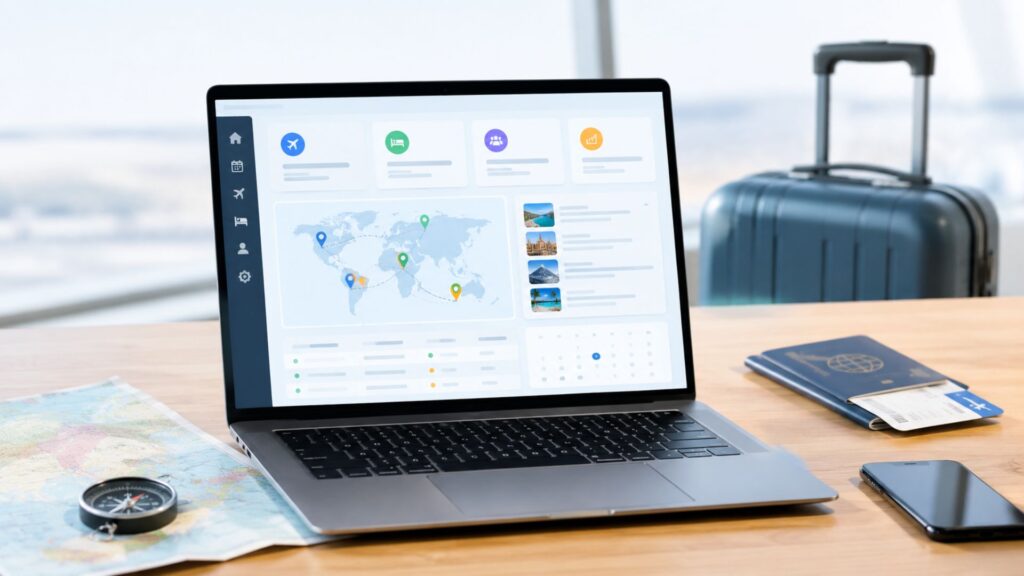
10 Operational Challenges Tour Operators Face as They Scale (and How Tour Operator Software Solves Them)
Every tour business starts the same way. A handful of tours, a shared spreadsheet, a phone that never stops ringing, and a founder who knows every customer by name. It works until it doesn’t.
Then growth arrives. You add destinations, hire guides and agents, and sign more hotel and transport partners. Suddenly, the spreadsheet has seven versions, two agents have sold the same last seat, and a customer in another country asks why the invoice shows the wrong currency.
Growth creates operational problems faster than it creates profit, and ten of them tend to show up first. Each one is explained below, along with how tour operator software resolves it. A checklist at the end helps in choosing among the software solutions for tour operators available today.
Quick Answer
Tour operators scaling their business commonly face ten operational challenges: booking chaos, overbooking, slow itinerary building, messy payments, currency confusion, supplier tangles, weak lead follow-up, accounting errors, team coordination gaps, and poor reporting. Tour operator software solves these by centralizing bookings, inventory, payments, suppliers, customers, and reports in one system, so teams grow without adding manual work or mistakes.
Key Takeaways
- One system beats many spreadsheets. Centralized tour operations management removes duplicate data and conflicting versions.
- Real-time inventory prevents overbooking. Live availability and hold times stop the same seat being sold twice.
- Payments and currencies need automation. Built-in payment processing and multi-currency support protect cash flow and margins.
- Data drives better decisions. Reports and dashboards show which tours, agents, and suppliers actually make money.

Why Scaling Breaks Manual Tour Operations
Small teams get by on memory and goodwill. Someone remembers that the Cox’s Bazar group needs a bigger bus. Someone else knows which hotel gives a discount if you pay in cash. That knowledge lives in people’s heads, in chat threads, and in personal notebooks.
Once the team grows, that informal system falls apart. Information gets duplicated, delayed, or lost. Good tour operations management depends on one shared, accurate source of truth, and that is exactly what tour operator software is built to provide.
Let’s look at where things usually go wrong.
Challenge 1: Booking Chaos and Scattered Data
The problem: Bookings arrive through WhatsApp, email, phone calls, Facebook messages, and walk-ins. Each channel ends up in a different place. An agent copies details into a spreadsheet, another one forgets to, and nobody is sure which version is current.
At 20 bookings a month, you can manage this. At 200, you cannot.
How software solves it: A central booking engine pulls every reservation into one dashboard, whatever the channel. Every agent sees the same status, the same customer details, and the same payment history. Good tour operator software also keeps an audit trail, so you can see who changed what and when.
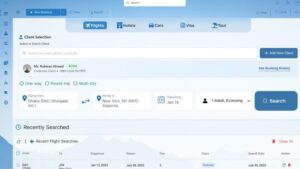
IV Trip, for example, keeps flight, hotel, and package bookings in a single system. Its real-time flight booking module and hotel booking feature mean staff don’t switch between portals to build one trip.
Challenge 2: Double Bookings and Inventory Errors
The problem: This is the one that keeps operators awake at night. Two agents sell the last seat on the same departure. A hotel room is promised to two groups. By the time anyone notices, both customers have paid.
Overselling damages trust, forces expensive last-minute fixes and often leads to refunds and bad reviews.
How to Avoid Overbooking in Tour Operations
Overbooking is rarely about carelessness. It happens because inventory is stored in several places that don’t talk to each other. Here is how to avoid overbooking in tour operations:
- Keep one live inventory. Seats, rooms, and vehicles should be counted in a single system, not in separate files.
- Use real-time availability. Every booking should reduce availability instantly, for every agent and every sales channel.
- Set hold times. Let agents hold a seat for a fixed window (say, 24 hours) before it releases automatically.
- Add alerts. Get warnings when a departure is nearly full or when supplier allotments run low.
- Review often. Check capacity reports weekly during peak season.
With tour operator software, steps 1 to 4 happen automatically. You stop relying on people to remember and let the system enforce the rules. For a deeper look at how connected systems reduce errors like this, see our post on tools that improve workflow efficiency.
Challenge 3: Slow, Inconsistent Itinerary Building
The problem: Building a custom itinerary can take hours. An agent pulls hotel names from one document, sightseeing details from another, and prices from a third. Quality varies from agent to agent, and quotes go out late.
In a competitive market, the operator who replies first with a clear, professional itinerary usually wins the booking.
Use an Itinerary Builder to Standardize and Speed Up Quotes
A good itinerary builder lets your team assemble a day-by-day plan from saved building blocks: hotels, transfers, activities, meals, and notes. Prices update automatically, and the finished document uses your branding.
The benefits are practical:
- Quotes go out in minutes rather than hours
- Every itinerary looks consistent and professional
- Popular routes can be saved as templates and reused
- Changes flow through to pricing without manual recalculation
IV Trip’s Holiday Packages module supports customizable vacation packages, and its Holiday Planning feature helps teams organize trips more smoothly. When you evaluate software solutions for tour operators, ask to see how long it takes to build a real itinerary from scratch.
Challenge 4: Messy Payment Processing
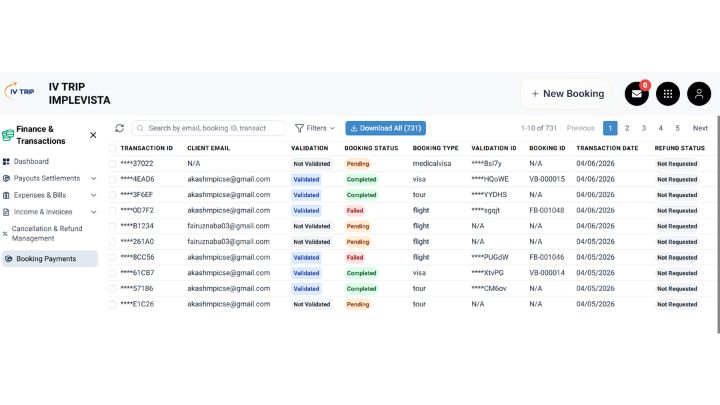
The problem: Customers pay in installments, by bank transfer, by card, by mobile wallet, or in cash at the office. Someone has to match each payment to the right booking, chase balances, and send receipts. Errors creep in quickly, and cash flow becomes hard to predict.
Payment Processing That Keeps Up With Your Growth
Modern payment processing inside tour operator software takes care of the repetitive parts:
- Deposit and balance schedules attached to each booking
- Automatic reminders before due dates
- Instant receipts and invoices
- Clear status labels such as paid, partial, and overdue
- Secure online payment options for customers
Security matters here as much as speed. If you accept cards online, your provider should follow the standards set by the PCI Security Standards Council, which exist to protect cardholder data. Ask any vendor how they handle this before you sign.
Challenge 5: No Multi-Currency Support
The problem: As soon as you sell to international travelers or buy from overseas suppliers, currencies get complicated. You price in one currency, your supplier bills in another, and your customer pays in a third. Exchange rates move, margins shrink, and someone ends up with a calculator and a headache.
Why Multi-Currency Support Protects Your Margins
Reliable multi-currency support lets you:
- Quote customers in their preferred currency
- Record supplier costs in the currency you were actually billed
- Apply exchange rates consistently
- See your true profit after conversion
Without it, small rounding errors and rate differences quietly eat into every tour. IV Trip’s website highlights localized features such as BDT currency support, which suits agencies in Bangladesh. If you also deal with foreign currencies, book a demo and ask exactly how the platform handles conversion and reporting. That one question will tell you a lot about the software solutions for tour operators you’re comparing.
Challenge 6: Supplier and Vendor Management
The problem: A growing operator might work with dozens of hotels, transport companies, guides, restaurants, and activity providers. Contracts, rates, commissions, and payment terms are scattered across emails and PDFs. Rates expire without anyone noticing, and payments to suppliers are late or duplicated.
How software solves it:
- A central supplier database with contact details, contracts, and rate sheets
- Seasonal pricing stored in one place, with expiry dates
- Automatic tracking of what you owe each supplier
- Booking confirmations sent straight to the right partner
Better supplier management also improves your negotiating position. When you can show a hotel exactly how many room nights you’ve delivered this year, you can ask for better rates with real data behind you.
Challenge 7: Weak Customer and Lead Management
The problem: Inquiries come in faster than your team can follow up. Leads sit in inboxes. Past customers are never contacted again, even though repeat travelers and referrals are the cheapest source of new bookings.
Turning Inquiries Into Bookings
A built-in CRM stores every customer’s history, preferences, documents, and past trips. It also tracks each lead through stages: inquiry, quote sent, follow-up, booked, or lost. Your team knows who needs a call today, and you can see which sources bring the best customers.
This is also where marketing and operations meet. When your customer data is clean, email campaigns and promotions become far more targeted. If you want to learn more about how CRM supports growth, read our guide on CRM software solutions for business growth.
And if your challenge is attracting more of those inquiries in the first place, our team’s work on growing IV Trip into a leading travel agency software brand shows how search and content can feed your sales pipeline.
Challenge 8: Accounting, Invoicing, and Commission Headaches
The problem: Travel accounting isn’t like regular retail accounting. You collect money before the trip, pay suppliers at different times, earn commissions, and sometimes issue refunds or credit notes. When this is tracked manually, month-end closing takes days, and nobody trusts the numbers.
How software solves it:
- Invoices generated directly from bookings
- Expense tracking tied to specific tours
- Automatic commission calculations
- Profit-per-booking and profit-per-tour visibility
- Clean financial reports for your accountant
IV Trip includes a dedicated travel agency accounting feature covering invoicing, expense tracking, commission calculations, and reporting. For a broader view of what finance tools should offer a growing business, see accounting for SME: 5 key features to boost growth.
Challenge 9: Team Coordination and Workflow Gaps
The problem: More people means more handoffs. The sales agent sells a tour, the operations team arranges transport, the accounts team issues the invoice, and the guide needs the final list. When each step depends on a message or a phone call, things get dropped.
Common symptoms include:
- Agents asking “who is handling this booking?”
- Guides receiving outdated passenger lists
- Staff duplicating each other’s work
- New hires taking weeks to learn the “system”
How software solves it: Role-based access gives each person the view they need. Tasks and statuses are visible to everyone involved. Documents, passenger details, and notes stay attached to the booking instead of floating around in chats.
Mobile access matters too, especially for teams in the field. IV Trip offers a mobile app that stays in sync with the web version, which is helpful when a manager needs to approve something while traveling. If you’re curious about why this matters, read why a mobile app is important for your business.
Challenge 10: No Clear Reporting or Business Visibility
The problem: Ask many growing operators which tour is most profitable, which agent sells the most, or which month is slowest, and the honest answer is “I think so, but I’m not sure.” Without reliable data, decisions are guesses.
How software solves it: Real-time reports and dashboards turn raw activity into answers:
- Revenue and profit by tour, destination, agent, or season
- Conversion rates from inquiry to booking
- Outstanding receivables and payables
- Cancellation and refund trends
- Customer sources and repeat-booking rates
What to Look For in Tour Operator Software
Not every platform fits every business. Before you commit, use this checklist when comparing software solutions for tour operators:
- Real-time inventory and availability to prevent double bookings
- An itinerary builder that your team can actually use quickly
- Integrated payment processing with clear tracking and receipts
- Multi-currency support if you sell or buy across borders
- Supplier management with rates, contracts and payables
- Built-in CRM and lead tracking
- Accounting and commission tools designed for travel
- Role-based access and team workflows
- Reporting and dashboards that answer real questions
- Mobile access, strong security and good support
A few extra questions are worth asking during a demo. Can the system handle both B2B and B2C sales? Is customer data stored securely? Can it integrate with the airline and booking systems you use? IV Trip‘s site, for instance, mentions integrations with GDS and airline APIs such as Sabre, Amadeus, and Travelport, and support for both B2B and B2C models. Whatever platform you consider, ask for proof rather than promises.
How to Roll Out Tour Operator Software Without Disrupting Your Business
Switching systems sounds scary, but it doesn’t have to be. A simple, phased approach works well:
- Map your current process. Write down how a booking moves from inquiry to post-trip follow-up. Mark the slowest and most error-prone steps.
- Pick your top three problems. Don’t try to fix everything at once.
- Clean your data. Tidy customer lists, supplier rates, and tour details before importing them.
- Start with a pilot. Run one team or one product line first, then expand.
- Train people early. Short, hands-on sessions beat long manuals.
- Review after 30 days. Check what’s working, what isn’t, and adjust.
The operators who succeed with tour operator software treat it as a business change, not just an IT project. Involve your agents early, because they are the ones who will use it every day.
The Real Payoff of Better Tour Operations Management
When the basics run smoothly, everything else gets easier. Customers get faster quotes and fewer mistakes. Staff spend less time on admin and more time selling. Owners get accurate numbers instead of gut feelings. And the business can take on more tours without the pain growing at the same rate.
That is the real promise of tour operator software: not just saving time, but giving your business room to grow without breaking.
Conclusion: Scale Smarter, Not Harder
Growth should feel like progress, not chaos. Booking confusion, overbooking, slow itineraries, messy payments, currency headaches, supplier tangles, missed leads, accounting errors, team gaps and poor visibility all share one root cause: a business outgrowing the tools it started with. Each problem is solvable, and the right tour operator software can handle all of them in one connected system.
Choosing that system is a big decision, so it helps to go in prepared. A few ways to continue:
- Shortlist with the checklist. Pick two or three platforms and test each one with a real booking, from itinerary to invoice.
- See one in action. Browse the IV Trip feature list, or get in touch with IV Trip with questions about a specific workflow.
- Keep reading. The IV Trip blog covers software, workflows, and growth for businesses at different stages.
The strongest operations are rarely the biggest ones. They are the ones where every booking, payment, and itinerary lives in a single place.

Frequently Asked Questions: Tour Operator Software
- What is tour operator software?
Tour operator software is a digital platform that manages bookings, itineraries, payments, suppliers, customers, and accounting in one place. It replaces spreadsheets and scattered tools so teams can work faster and make fewer mistakes. - How does tour operator software help avoid overbooking?
It keeps a single, real-time inventory of seats, rooms, and vehicles. Every booking updates availability instantly for all agents, and hold times and alerts stop the same spot from being sold twice. - What is the difference between tour operator software and travel agency software?
The two overlap heavily. Travel agency software often focuses on selling flights, hotels, and packages, while tour operator software puts more weight on building and running tours. Many modern platforms, including IV Trip, cover both needs. - What features should tour operator software have?
Look for real-time availability, an itinerary builder, payment processing, multi-currency support, supplier management, CRM, accounting, reporting, and mobile access. These cover the core of tour operations management. - Can tour operator software handle multiple currencies?
Many platforms can, but the depth varies. Ask how the system records supplier costs, applies exchange rates, and reports profit, then test it during a demo. - How much does tour operator software cost?
Pricing depends on the features, number of users, and level of support. Most vendors offer custom quotes. You can contact the IV Trip team for a quote based on your agency’s size. - Is tour operator software suitable for small businesses?
Yes. Small operators often benefit most because the software removes repetitive admin before it becomes a bottleneck. Choose a system that can start simple and add features as you grow. - How does an itinerary builder save time?
It lets agents assemble day-by-day plans from saved hotels, transfers, and activities, with prices calculated automatically. Quotes that once took hours can often be produced in minutes. - Is online payment processing in tour software secure?
It can be, provided the vendor follows recognized standards such as PCI DSS and uses encrypted storage. Always ask how card data and customer information are protected. - How long does it take to implement tour operator software?
It depends on the size of your team and the amount of data to move. A phased rollout with a pilot group is usually the safest approach, and many agencies are up and running within a few weeks.